Cool Stuff from OETC
Quick Feedback Using Google Keep with Docs and Slides


Created by Scott Aten, February 20, 2019
Last week I had the privilege of attending the Ohio Educational Technology Conference (OETC). I wanted share
some of the really cool things I saw at the conference, so I am going to post a few of the highlights in the next
few blog posts.
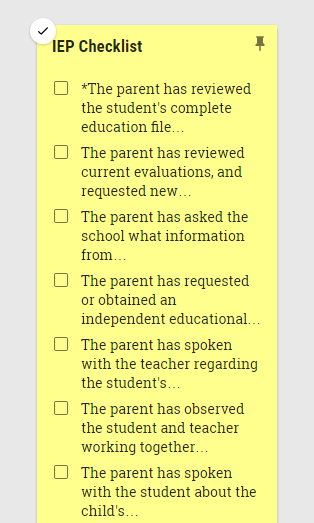
Google Keep is one of the seldom used Google tools, so when I saw this suggestion, I knew I wanted to share it with you. The idea here is that you can setup your feedback that you want to give students in Google Keep and then have quick access to them in Google Docs or Google Slides.
If you would like an easy and quick way to add feedback to student's work, setting them up in Google Keep could be a real time saver. [Watch an Example]
Using Google Keep in this way will work in Docs as well as Slides.
NOTE - I have created several videos on how to create things with Google Keep. These are a couple years old, but are great places to start in understanding how to use Keep.
It should also be noted that when grading papers in Google Classroom, there is a built in feature to
add comments from a created bank of comments.
Google Classroom has a built in "Comment Bank" that works a lot like what I have shown you with Google Keep, so if you are 100% using Google Classroom this might be an even better option. [See Demonstration]
Google Keep is one of the seldom used Google tools, so when I saw this suggestion, I knew I wanted to share it with you. The idea here is that you can setup your feedback that you want to give students in Google Keep and then have quick access to them in Google Docs or Google Slides.
If you would like an easy and quick way to add feedback to student's work, setting them up in Google Keep could be a real time saver. [Watch an Example]
Using Google Keep in this way will work in Docs as well as Slides.
NOTE - I have created several videos on how to create things with Google Keep. These are a couple years old, but are great places to start in understanding how to use Keep.
- Google Keep Basics
- Using Google Google Keep to Make Vocabulary Cards
- Create a reminder Note in Google Keep
- Using Google Keep to Create a List
It should also be noted that when grading papers in Google Classroom, there is a built in feature to
add comments from a created bank of comments.
Google Classroom has a built in "Comment Bank" that works a lot like what I have shown you with Google Keep, so if you are 100% using Google Classroom this might be an even better option. [See Demonstration]
For more helpful information and the archive of previous posts, look for items in the menu to the left.


Green Local Schools
Tech Integration Team